Complete AI Prompt Pack
1000+ prompts • $37
If you’ve ever worried about managing risks in your projects or business chances are you’ve faced a jumble of papers and spreadsheets that make your head spin. That’s where a Risk Register AI Template comes in—making risk tracking easier and smarter. Stick around, and I’ll show you how this simple tool can turn chaos into clarity, saving you time and headaches in the long run. Just a heads up—by the end, you’ll have a clear idea of how to create and customize one for your needs.
Key Takeaways
- A Risk Register AI Template simplifies and automates the process of managing risks, reducing the need for manual spreadsheets.
- This tool uses AI to identify, prioritize, and forecast risks, improving accuracy and enabling proactive management.
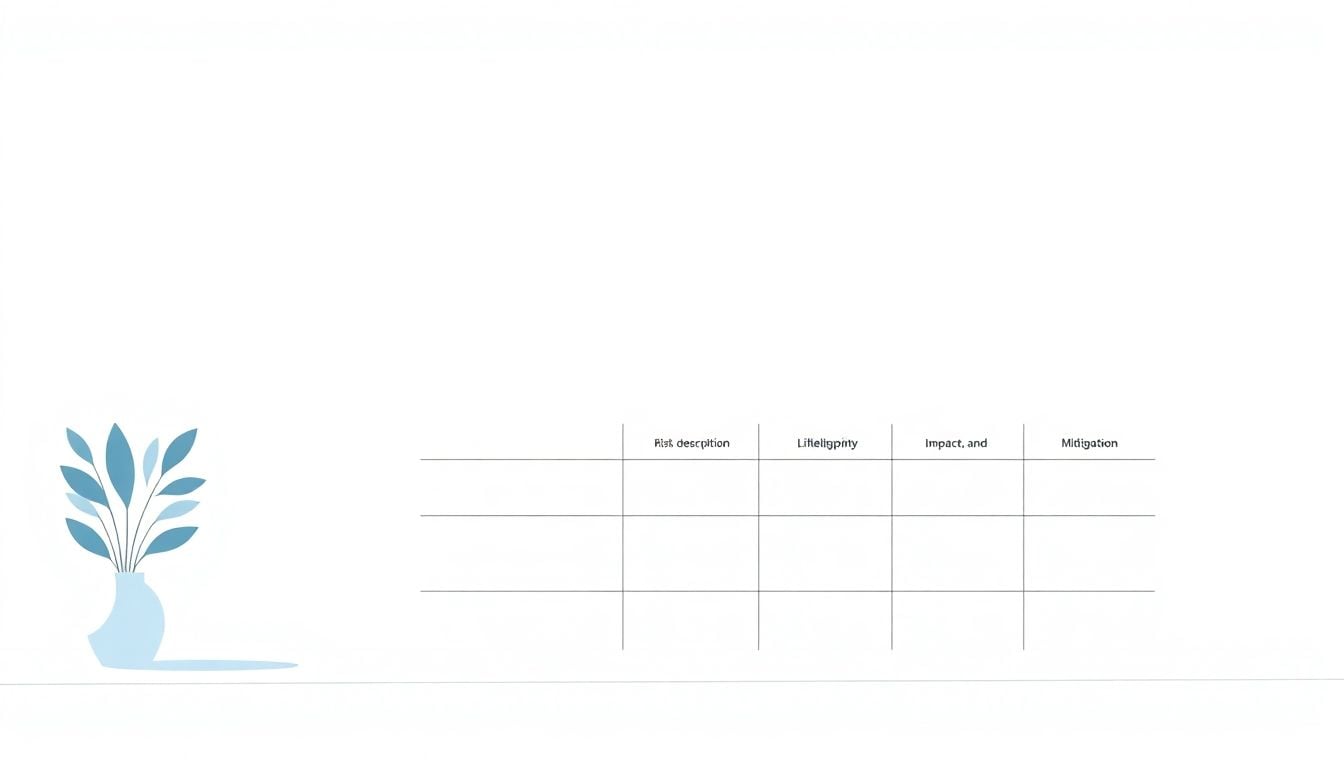
- It comes with pre-built features such as risk descriptions, likelihood, impact, and mitigation strategies.
- Businesses in fast-evolving sectors like tech and finance benefit significantly from using AI-driven risk management solutions.
- Use tailored prompts to create a customized risk register that meets your specific needs for different industries.

What is a Risk Register AI Template?
A risk register AI template is a digital tool that uses artificial intelligence to help organize, analyze, and manage potential risks within a project or organization. Instead of manually filling out spreadsheets, these templates leverage AI to automatically identify risks based on input data, patterns, and historical information.
Think of it as a smart assistant that streamlines the risk documentation process, saving you time and reducing errors. They often come with pre-built fields like risk description, likelihood, impact, and mitigation strategies, but are enhanced with AI capabilities for smarter risk prioritization and prediction.
Using an AI-driven risk register means risk management becomes more proactive. It doesn’t just list problems; it helps forecast those that might happen shortly, suggest solutions, and flag critical issues before they escalate.
Many businesses turn to these templates because they can handle large volumes of data quickly and learn from new inputs, making your risk tracking more dynamic and accurate. They are especially useful in environments where risks evolve fast, like tech development, finance, or healthcare.
If you’re interested in setting up your own risk register using AI, you might want to start with prompts like:
- “Generate a risk register template that includes risk description, likelihood, impact, and mitigation options with AI prioritization”
- “Create an AI-powered risk management template tailored for small businesses”
- “Automate risk entry and scoring in a risk register using AI”
These prompts can be used with platforms that support AI or ChatGPT to help craft a customized, intelligent risk management tool that fits your needs perfectly.

Ready-to-Use Prompts for Building Your AI Risk Register
Getting the most out of AI templates means crafting the right prompts to direct ChatGPT effectively. Here are some of the best prompts you can copy and paste directly to generate custom risk registers, analyze risks, or gather insights without fuss.
- Generate a comprehensive risk register template including risk description, likelihood, impact, mitigation strategies, and risk owner; prioritize risks based on combined scores.
- Create a list of potential risks for a software development project focusing on cybersecurity, timeline delays, and resource shortages; include suggested mitigation measures for each.
- Design a risk assessment matrix with categories like low, medium, and high; assign numerical scores for likelihood and impact; automatically calculate overall risk scores.
- Summarize the top 10 most common risks faced by manufacturing companies and propose typical mitigation strategies for each risk.
- Help me build a risk register for a healthcare startup; include categories such as regulatory issues, data privacy, and staffing concerns; suggest ways to monitor and update these risks regularly.
- Create a risk scoring system that assigns values from 1 to 5 for likelihood and impact; output a ranked list of risks based on combined scores in a table format.
- Analyze a list of risks in a financial firm and suggest which should be prioritized for immediate action based on severity and probability.
- Write an outline for a risk management plan focused on project completion risks; incorporate AI predictions for potential issues and proactive solutions.
- Evaluate current risk data and provide insights on emerging risks, trends, and possible preventative measures that can be implemented in the next quarter.
- Generate a step-by-step guide for customizing an AI risk register template for small businesses in the retail sector, including sample data points and risk categories.
Use these prompts to streamline your risk management tasks, save time, and ensure your risk register is as thorough and actionable as possible.

Different Prompts for ChatGPT to Generate Effective Risk Register AI Templates
Instead of just describing what an AI risk register template is, you can use ChatGPT with specific prompts to create customized and comprehensive templates instantly. Here are some detailed prompts you can copy and paste to get the results you need.
1. Generate a Basic AI Risk Register Template
Copy and paste this prompt into ChatGPT:
Create a risk register template in table format that includes columns for risk description, likelihood on a scale of 1-5, impact on a scale of 1-5, risk owner, mitigation strategies, residual risk, and risk score. Provide clear example entries for each column to serve as a guide.2. Build a Risk Assessment Matrix with AI Scoring
Use this prompt:
Design a risk assessment matrix that categorizes risks into low, medium, and high based on combined scores of likelihood and impact (each rated 1-5). Include instructions on how to calculate the overall risk score (e.g., multiply likelihood by impact) and examples of risks in each category.3. Develop Industry-Specific Risk Templates
Copy and paste:
Generate a risk register template tailored for a [industry], such as healthcare, finance, or manufacturing. Include common risks for that industry, suggest specific mitigation strategies, and organize the template with relevant fields like risk description, likelihood, impact, risk owner, and monitoring actions.4. Create a Risk Prioritization System
Use this prompt:
Create a step-by-step guide and a sample template for prioritizing risks using a scoring system from 1 to 5 for likelihood and impact. Show how to calculate total scores, rank risks, and include example risk entries with total scores to demonstrate ranking.5. Outline a Risk Management Workflow with AI
Paste this into ChatGPT:
Develop an outline of a risk management process that integrates an AI-generated risk register. Include steps like risk identification, assessment, scoring, prioritization, mitigation planning, and ongoing monitoring, highlighting where AI tools enhance each stage.6. Generate Prompts for Updating and Maintaining Risks
Use this to prompt ChatGPT:
Provide a list of prompts for updating and maintaining a risk register, such as: 'Add new risk entries based on recent project developments,' 'Reassess existing risks and update likelihood and impact scores,' 'Identify emerging risks from recent data,' and 'Review mitigation effectiveness.'7. Create Customizable Risk Register Templates for Different Purposes
Copy and paste:
Design customizable risk register templates for different scenarios like project risks, operational risks, or strategic risks. Include sample fields, example entries, and suggestions for adapting the template to various organizational needs.8. Generate Automated Risk Reports from AI Data
Use this prompt:
Generate a template for an automated risk report that summarizes top risks, recent changes, mitigation status, and emerging risks based on AI analysis. Include sections for charts, risk rankings, and recommended actions.Using these prompts with ChatGPT allows you to quickly generate tailored risk registers, streamline your risk management workflows, and ensure your risk data is comprehensive and actionable. Try customizing these prompts further to match your specific industry or organizational requirements.
FAQs
A Risk Register AI Template is a structured tool designed to identify, assess, and manage risks in projects or organizations using AI technology to streamline data entry and analysis, improving accuracy and efficiency.
AI-generated Risk Register Templates provide enhanced accuracy, save time, facilitate better risk analysis, and offer insights through AI-driven analytics, ultimately leading to improved decision-making and effective risk management.
To create a Risk Register using AI templates, select a suitable template, input relevant project data, utilize AI features for risk analysis, and customize the register according to specific project needs to ensure comprehensive coverage of potential risks.
Key components of a Risk Register AI Template include risk identification, risk assessment, control measures, risk owner, risk status, and remediation strategies, all organized for clear visibility and actionability.
Related Articles

Loyalty Program Tiers: AI Ideas For Enhanced Customer Engagement
I know managing loyalty programs can feel overwhelming, especially when trying to keep customers happy and engaged. The good news is, AI ideas for tier systems can make this process much easier and more fun. If you keep reading, I’ll show you how AI can help design, personalize, and automate loyalty tiers, making your program … Read more

Referral Program Copy AI: Boosting Your Business With AI Solutions
Ever wonder how to get more people to join your referral programs without sounding pushy or salesy? You’re not alone. Many businesses struggle to craft the perfect message that encourages sharing yet feels genuine. Keep reading, and you’ll discover how AI can help you create compelling referral copy effortlessly. In just a few minutes, you’ll … Read more

Growth Loop Ideas With AI: Strategies for Business Success
Hey, I get it—growing a business online can feel like a never-ending challenge, especially when figuring out how to keep users coming back. But here’s the good news: AI has some clever tricks up its sleeve that can create what’s called “growth loops”—little engines that fuel your growth automatically. Stick around, and I’ll show you … Read more

Experiment Log AI Template: Benefits, Features, and Guide
Ever tried keeping track of your experiments but felt overwhelmed by messy notes and incomplete data? I get it—staying organized can be a hassle, especially when juggling multiple projects. But don’t worry—there’s a simple way to make logging experiments easier and more accurate. Keep reading, and I’ll show you how using an AI-powered experiment log … Read more

A/B Test Hypothesis AI Templates: Enhance Your Testing Process
If you’re running A/B tests, you know coming up with good hypotheses can be tricky. Sometimes it feels like guessing, and that can slow things down. But what if there was a way to make your hypotheses smarter and easier to create? Keep reading, and I’ll show you how AI templates can help you craft … Read more

Innovation Backlog AI Template: Boosting Your Innovation Process
Ever felt overwhelmed trying to keep track of all your innovation ideas? It’s easy to get lost in the chaos of managing backlog items, especially when everyone’s busy. Keep reading, and I’ll show you how an AI-powered template can make sorting and organizing those ideas a lot simpler. In just a few steps, you’ll be … Read more

Ideation Sprint Agenda AI: Plan, Execute, and Succeed Efficiently
I know many of us find brainstorming sessions a bit chaotic or just not as productive as we’d like. The good news is, using AI in your ideation sprint can help smooth out those rough edges and spark fresh ideas. Stick with me, and I’ll show you how AI tools can make your next session … Read more

Brainstorming Facilitation AI Prompts: Enhance Your Creativity
If you’ve ever felt stuck trying to run creative brainstorming sessions, you’re not alone. It can sometimes be tough to keep ideas flowing or find fresh angles on a problem. But don’t worry—there’s a way to make your sessions more effective and fun. Keep reading, and I’ll show you how AI prompts can be your … Read more

Design Thinking Workshop With AI: Tips, Tools, And Best Practices
Hey there! If the idea of running a design thinking workshop with AI sounds a bit overwhelming, you’re not alone. It’s common to wonder how AI can fit into such a creative process and whether it’ll help or just complicate things. Stick with me, though, and I’ll show you how AI tools—like ChatGPT—can boost your … Read more

Service Blueprint AI Template: Enhance Business Efficiency Today
Getting your service processes straight can feel like a puzzle, especially when trying to keep everyone on the same page. That’s where a Service Blueprint AI Template comes in handy—think of it as a clear map for your customer experience. Keep reading and you might find an easy way to plan, improve, and customize your … Read more

Customer Journey Map AI Template: Enhance Insights and Experience
Ever felt frustrated trying to map out your customers’ journey without the right tools? You’re not alone. Luckily, there’s now an AI-powered customer journey map template that promises to make this process easier and smarter. Keep reading, and I’ll show you how these templates work, their benefits, and how you can start using them to … Read more

Value Chain Analysis AI Guide: Improve Efficiency and Insights
Ever wonder if there’s a smarter way to analyze your company’s value chain without drowning in boring spreadsheets? You’re not alone—many feel stuck with slow, manual methods that just don’t cut it anymore. Stick with me, and I’ll show you how AI can make this process easier, faster, and way more insightful. Keep reading, and … Read more
Last updated: November 14, 2025