Complete AI Prompt Pack
1000+ prompts • $37
If you’re dreaming of making your own song videos but feel stuck on how to come up with fresh ideas, you’re not alone. Coming up with prompts that spark creativity can be tricky, and ideas can run dry fast. But don’t worry — if you keep reading, I’ll show you how ChatGPT prompts can help you craft unique lyrics, concepts, and visuals for your videos.
In just a few tips and sample prompts, you’ll learn how to generate catchy titles, storylines, mood descriptions, and much more. Ready to get those creative juices flowing and make your song videos stand out? Let’s dive in!
Key Takeaways
- Use ChatGPT prompts to spark original concepts for song videos, like generating themes or storylines.
- Tailor prompts for specific genres or emotions to get targeted visual ideas and lyrics.
- Combine multiple prompt elements for unique results, such as genre blending and thematic depth.
- Incorporate mood descriptions to align visuals with the emotional tone of your music.
- Experiment with aesthetic prompts to create cohesive visuals that complement your song’s style.

Best Prompts for Creating Original Song Videos with ChatGPT
Thinking up fresh ideas for your song videos can be tough, but using the right prompts with ChatGPT makes it easier. You want prompts that spark originality and give you solid starting points. For example, you can ask ChatGPT:
“Generate five unique music video concepts around themes of freedom and self-discovery.”
This prompt helps you get a variety of ideas, each with its own vibe, so you can pick one that feels right.
Another useful prompt is:
“Suggest creative visual themes for a synth-pop song about nostalgia.”
Using this kind of prompt directs ChatGPT to focus on specific genres or emotions, leading to more targeted video ideas. Additionally, try:
“Create original storylines for a music video that combines fantasy and real-world elements.”
It pushes ChatGPT to combine genres and themes in surprising ways, fostering originality.
For those who need a quick boost, use:
“List five innovative visual styles for an upbeat electronic music video.”
This keeps the focus on visual creativity, giving you diverse ideas for the look and feel of your video. To really get detailed concepts, try:
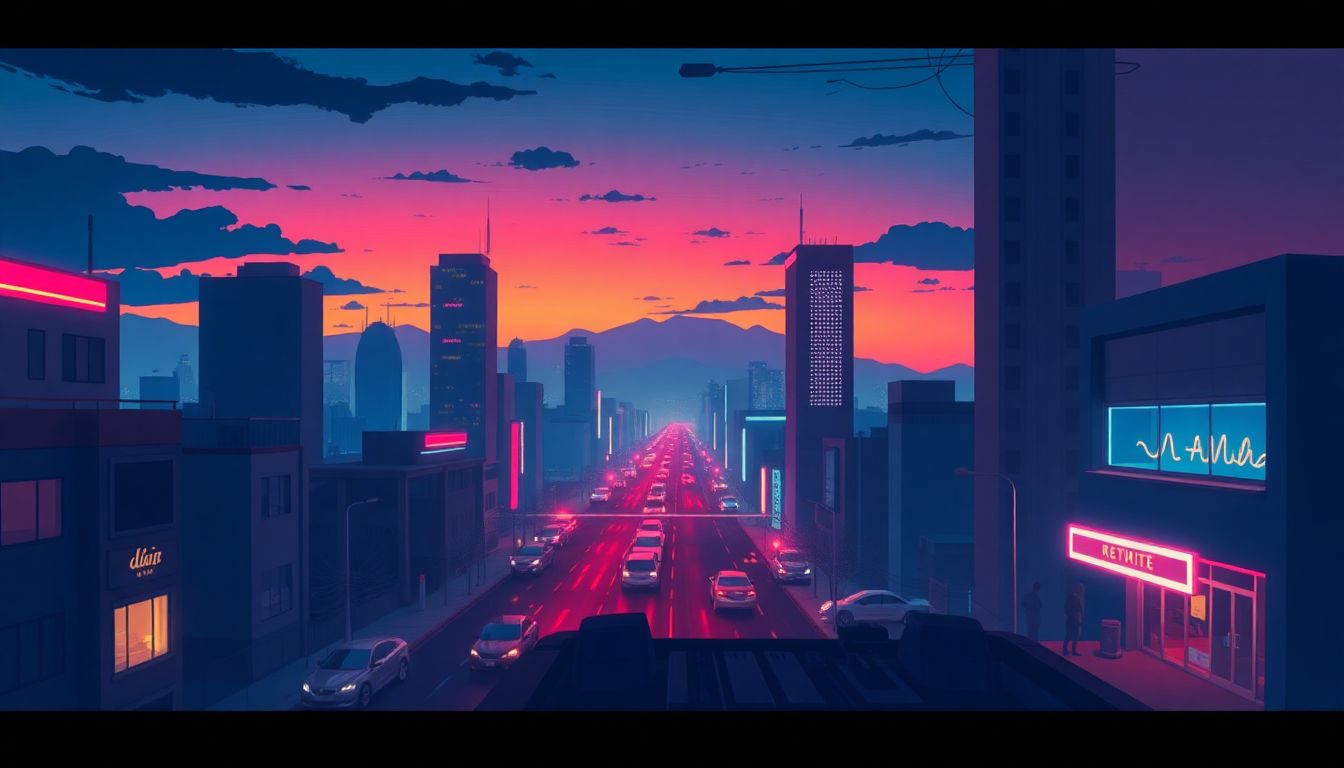
“Describe a futuristic cityscape backdrop for a indie-pop song about hope.”
This prompt helps generate vivid, detailed environments that can inspire the entire visual design.
How to Use ChatGPT Prompts to Write Song Lyrics for Videos
Writing lyrics that match your video’s vibe is key, and ChatGPT can help craft lyrics tailored to your themes. Start with prompts like:
“Write lyrics about overcoming obstacles, in a hopeful tone, suitable for a pop song.”
This gives you lyrics directly aligned with your message. If you want style-specific lyrics, ask:
“Generate a verse and chorus in the style of 80s synth music about friendship.”
This directs ChatGPT to mimic certain eras or genres, making your lyrics sound authentic.
For more emotional depth, try:
“Create heartfelt lyrics about lost love, with a focus on healing and new beginnings.”
This encourages vulnerability and authenticity in your words. To craft catchy phrases, ask:
“Suggest a repetitive hook about chasing dreams that sticks in your head.”
Repetition boosts memorability for your song’s chorus. For verse ideas, you can prompt:
“Write a story-driven verse about a journey through hardship to hope.”
This makes your lyrics more engaging and narrative-driven.
Remember, you can combine prompts for even more specific results:
“Write lyrics about resilience, inspired by nature imagery, in a reggae style.”
This approach blends themes, tone, and genre to produce lyrics that fit perfectly with your video concept.

Using Prompts to Brainstorm Visual Style and Aesthetic Ideas
Getting the visual look right for your song video is half the battle. You want prompts that paint a clear picture, so you can steer ChatGPT toward style suggestions that match your vibe. Start with:
“Describe a visual style for an indie-folk music video centered around urban solitude.”
This will give you detailed ideas about mood, color palettes, and setting.
Another good prompt is:
“Suggest a retro-futuristic aesthetic for a synthwave music video about nostalgia.”
Use this to explore specific eras or visual movements, helping you create a cohesive look. To go deeper, try:
“Create a list of visual motifs and color schemes for a dreamy pop song about innocence.”
This offers concrete ideas you can incorporate into storyboards or mood boards.
For more abstract inspiration, ask:
“Generate visual themes combining nature and technology for a EDM music video.”
This helps blend elements in surprising ways. Also, experiment with prompts like:
“Describe a monochrome color scheme and minimalistic visuals for a haunting ballad.”
It’s all about translating your musical style into visual language.
Crafting Mood and Atmosphere Descriptions That Match Your Music
Setting the right mood is crucial — it makes your video resonate emotionally. To get detailed ambiance ideas, prompt ChatGPT:
“Describe a moody, rain-drenched city street scene for a reflective indie song.”
This helps you visualize environments that evoke feelings of loneliness or hope.
If you want a more energetic atmosphere, try:
“Create a lively, party-like scene full of neon lights and movement for a dance track.”
The goal is to match the scene’s vibe with your song’s tone. To make your prompts more specific, include:
“Describe a sunset over a mountain landscape for a song about longing.”
This ensures the visuals support the emotional core of your music.
Don’t forget to ask:
“Describe a dark, mysterious forest setting with fog and subtle lighting for a suspenseful, mystical song.”
This guides you toward visuals that intensify the mood, making your video feel more immersive and aligned with the music.

How to Customize ChatGPT Prompts for Your Specific Song Video Projects
Personalizing prompts is key to getting results that truly match your style and vision. Start by adding specific details about your genre, mood, or theme directly into your prompt. For example, instead of asking “Suggest visual ideas,” say “Suggest visual ideas for a moody, lo-fi hip-hop music video about solitude.” This helps ChatGPT tailor its output to your needs.
Break down your project into parts and craft prompts for each one. For instance, first ask for mood descriptions, then for visual styles, then for story ideas, combining the outputs later. This step-by-step approach ensures each element aligns perfectly with your overall concept.
Use descriptive adjectives and genre-specific terms within your prompts. Rather than vague requests, specify: “Create a vibrant, street-art-inspired visual theme for an energetic pop song.” The more detailed your prompt, the more targeted and useful the response.
Adjust the prompts based on your progress. If a suggested visual style isn’t quite right, refine your prompt by including what you liked or disliked. For example: “Suggest a visual style like neon-lit cityscapes but with a softer pastel palette.” This iterative process improves results for each project.
Finally, experiment with combining multiple prompts. For example, first ask for mood descriptions, then for color schemes, then for background scene ideas, and piece them together to create a cohesive visual plan. Customization makes your prompts more effective and saves you time in brainstorming.
How to Combine Multiple Prompts to Generate a Complete Music Video Concept
Blending several prompts can build a full idea that covers visuals, story, mood, and style. Start by generating a core concept—such as a story or mood—then develop background visuals, character ideas, and thematic elements separately. For example, ask ChatGPT: “Describe a futuristic cityscape for a song about hope,” and then follow up with, “Generate visual motifs and color schemes that fit this cityscape.” by layering these elements, you’ll create a richer, more detailed concept.
Use sequential prompts to build complexity. First, get a basic storyline with: “Create a simple story about resilience for a music video.” Then, ask for scene descriptions: “Describe three scenes that depict hope and struggle within this story.” Next, request visual style ideas tied to those scenes. Combining these responses gives you a complete storyline with vivid visuals.
Mix thematic prompts with aesthetic ones. For instance, start with: “Suggest themes for a song about rebirth,” then ask: “Describe the visual style that would fit this theme—think colors, textures, and mood.” This ensures your story, visuals, and mood are interconnected and harmonious.
Remember to save and organize your prompts and responses to keep track of your evolving concept. As you combine outputs, you can refine or re-prompt to fill gaps or clarify elements, turning scattered ideas into a solid music video plan.
In short, layering multiple prompts carefully and thoughtfully helps craft a full, cohesive music video concept that blends story, style, and emotional tone into one compelling package.
How to Use ChatGPT Prompts to Generate Ideas for Releasing Your Music Video
If you’re planning to release your music video, a good idea is to use ChatGPT to come up with promotion and release strategies. For example, prompt: “Suggest creative ways to promote a music video on social media” or “Generate a release schedule for a new music video.” These prompts help you plan a launch that gets your video noticed.
Ask ChatGPT for ideas on engaging your audience around the release. For example: “Generate social media post ideas that build anticipation for my upcoming music video.” You can adapt these to fit platforms like Instagram, TikTok, or YouTube Shorts.
Request suggestions for collaboration or cross-promotion. Try: “Suggest partnership ideas with influencers or brands for promoting my music video.” This broadens your reach and can boost views.
Use prompts to brainstorm behind-the-scenes content or teaser clips. For instance: “Create ideas for short video clips to post as teasers before my music video launch.” These snippets can generate buzz and drive interest.
Finally, ask for feedback prompts: “Write an engaging caption to encourage fans to share and comment on my new music video.” Interactions help increase visibility and engagement after release.
How to Use ChatGPT for Post-Release Content and Engagement Strategies
Given that your music video is out, ChatGPT can help craft content to keep the momentum going. Ask: “Generate questions about my music video to post as captions that encourage followers to comment.” These prompts keep your audience involved.
You can also prompt: “Create ideas for follow-up videos or remixes related to my original music video.” This prolongs interest and gives fans new ways to connect with your work.
Request ideas for behind-the-scenes stories or fan interactions. For example: “Write a short story about the making of my music video to share with fans.” Sharing the creative process humanizes your brand and builds loyalty.
Use ChatGPT prompts to plan contests or challenges around your video. For instance: “Generate social media challenge ideas related to my song and music video.” This boosts engagement and can help your video go viral.
Finally, ask for ways to recap or highlight viewer reactions. Prompt: “Create template captions for sharing fan comments or reaction videos.” This makes it easy to show fan support and encourage more interaction.
FAQs
You can use prompts that specify a theme, mood, or specific emotion to inspire lyrics. Additionally, questions about a storyline or character can lead to more personalized and engaging lyrics tailored for your song video.
To create unique music video concepts, ask ChatGPT for ideas based on specific themes or genres. Consider combining different elements, such as narrative arcs, visual styles, and character dynamics to create engaging and original concepts.
Effective prompts for planning a music video script include asking for scene breakdowns, character dialogues, and key visual moments. Detail specific settings, emotional tones, and transitions to enhance storytelling in your script.
Customize ChatGPT prompts by incorporating specific details about your project’s genre, style, and intended audience. Personalizing the prompts enhances the relevance and creativity of the responses you receive for your song video.
Related Articles

Loyalty Program Tiers: AI Ideas For Enhanced Customer Engagement
I know managing loyalty programs can feel overwhelming, especially when trying to keep customers happy and engaged. The good news is, AI ideas for tier systems can make this process much easier and more fun. If you keep reading, I’ll show you how AI can help design, personalize, and automate loyalty tiers, making your program … Read more

Referral Program Copy AI: Boosting Your Business With AI Solutions
Ever wonder how to get more people to join your referral programs without sounding pushy or salesy? You’re not alone. Many businesses struggle to craft the perfect message that encourages sharing yet feels genuine. Keep reading, and you’ll discover how AI can help you create compelling referral copy effortlessly. In just a few minutes, you’ll … Read more

Growth Loop Ideas With AI: Strategies for Business Success
Hey, I get it—growing a business online can feel like a never-ending challenge, especially when figuring out how to keep users coming back. But here’s the good news: AI has some clever tricks up its sleeve that can create what’s called “growth loops”—little engines that fuel your growth automatically. Stick around, and I’ll show you … Read more

Experiment Log AI Template: Benefits, Features, and Guide
Ever tried keeping track of your experiments but felt overwhelmed by messy notes and incomplete data? I get it—staying organized can be a hassle, especially when juggling multiple projects. But don’t worry—there’s a simple way to make logging experiments easier and more accurate. Keep reading, and I’ll show you how using an AI-powered experiment log … Read more

A/B Test Hypothesis AI Templates: Enhance Your Testing Process
If you’re running A/B tests, you know coming up with good hypotheses can be tricky. Sometimes it feels like guessing, and that can slow things down. But what if there was a way to make your hypotheses smarter and easier to create? Keep reading, and I’ll show you how AI templates can help you craft … Read more

Innovation Backlog AI Template: Boosting Your Innovation Process
Ever felt overwhelmed trying to keep track of all your innovation ideas? It’s easy to get lost in the chaos of managing backlog items, especially when everyone’s busy. Keep reading, and I’ll show you how an AI-powered template can make sorting and organizing those ideas a lot simpler. In just a few steps, you’ll be … Read more

Ideation Sprint Agenda AI: Plan, Execute, and Succeed Efficiently
I know many of us find brainstorming sessions a bit chaotic or just not as productive as we’d like. The good news is, using AI in your ideation sprint can help smooth out those rough edges and spark fresh ideas. Stick with me, and I’ll show you how AI tools can make your next session … Read more

Brainstorming Facilitation AI Prompts: Enhance Your Creativity
If you’ve ever felt stuck trying to run creative brainstorming sessions, you’re not alone. It can sometimes be tough to keep ideas flowing or find fresh angles on a problem. But don’t worry—there’s a way to make your sessions more effective and fun. Keep reading, and I’ll show you how AI prompts can be your … Read more

Design Thinking Workshop With AI: Tips, Tools, And Best Practices
Hey there! If the idea of running a design thinking workshop with AI sounds a bit overwhelming, you’re not alone. It’s common to wonder how AI can fit into such a creative process and whether it’ll help or just complicate things. Stick with me, though, and I’ll show you how AI tools—like ChatGPT—can boost your … Read more

Service Blueprint AI Template: Enhance Business Efficiency Today
Getting your service processes straight can feel like a puzzle, especially when trying to keep everyone on the same page. That’s where a Service Blueprint AI Template comes in handy—think of it as a clear map for your customer experience. Keep reading and you might find an easy way to plan, improve, and customize your … Read more

Customer Journey Map AI Template: Enhance Insights and Experience
Ever felt frustrated trying to map out your customers’ journey without the right tools? You’re not alone. Luckily, there’s now an AI-powered customer journey map template that promises to make this process easier and smarter. Keep reading, and I’ll show you how these templates work, their benefits, and how you can start using them to … Read more

Value Chain Analysis AI Guide: Improve Efficiency and Insights
Ever wonder if there’s a smarter way to analyze your company’s value chain without drowning in boring spreadsheets? You’re not alone—many feel stuck with slow, manual methods that just don’t cut it anymore. Stick with me, and I’ll show you how AI can make this process easier, faster, and way more insightful. Keep reading, and … Read more
Last updated: August 19, 2025