Complete AI Prompt Pack
1000+ prompts • $37
Ever tried creating a style reference sheet for Midjourney and felt like you were speaking another language? I get it—keeping your styles consistent can be tricky, especially when you’re aiming for that perfect look. But don’t worry, if you keep reading, I’ll show you how simple it can be to make a clear, helpful reference sheet that makes your Midjourney images look just the way you want them.
Soon, you’ll learn easy steps and key tips to keep your style on point every time. And to top it off, I’ll share some real-life examples and tools to make the whole process smoother. Trust me, creating your perfect style sheet might turn out to be easier and more fun than you think!
Key Takeaways
- A Midjourney style reference sheet is a visual guide that helps maintain consistency in your AI-generated art.
- Creating this sheet saves time and reduces trial and error by clearly defining your desired style elements.
- To make one, collect artworks that embody your style, identify key features, and create a layout with images and notes.
- Include sample prompts alongside visual elements to streamline the prompt creation process.
- Use descriptive language from your reference sheet in your prompts to ensure Midjourney aligns with your style.

What Is a Midjourney Style Reference Sheet?
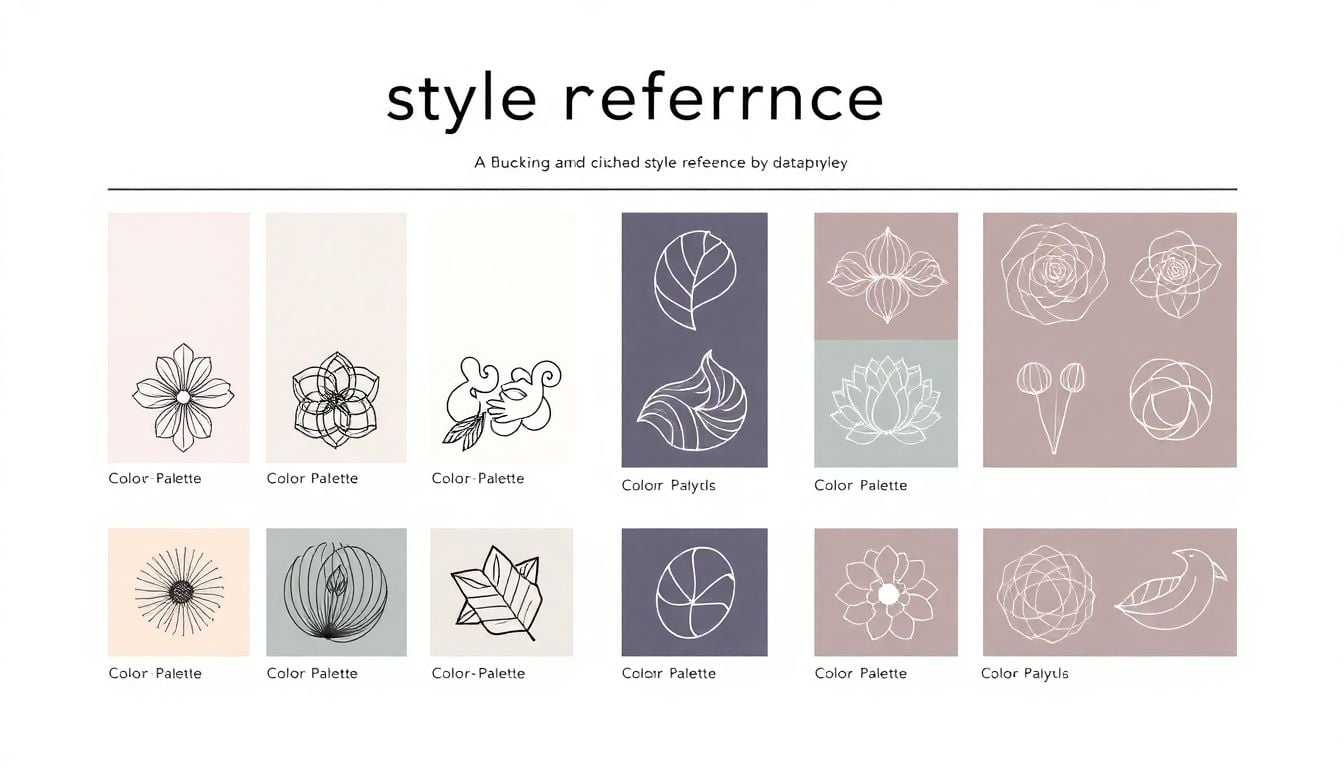
A Midjourney style reference sheet is essentially a visual cheat sheet that captures the core elements of an art style you want to produce using Midjourney. It gathers the key visual traits, color schemes, and artistic details into one easy-to-reference document. Think of it as a style Bible for your AI prompts, so every generated image aligns with your vision. Creating this sheet helps you clearly define the aesthetic, making it easier to craft prompts that deliver consistent results. It’s especially handy if you’re working on a series of images or want to develop a recognizable look for your projects.
Imagine telling Midjourney, “Create a futuristic city scene with neon lights, sleek architecture, and a cyberpunk vibe,” and then having a trusty sheet that shows exactly what neon shades, angles, and styles you prefer. That’s what a style reference sheet enables. It’s a visual guide that makes your prompts more precise and your art more uniform across projects. Whether you’re aiming for a watercolor feel, a comic book style, or a vintage look, a style reference sheet keeps everything aligned and saves you from endless trial-and-error.
Why Create a Style Reference Sheet for Midjourney
Making a style reference sheet up front might seem like extra work, but it pays off big time in the long run. When you have a clear guide, you’ll find your prompts produce more consistent images, reducing the back-and-forth and saving you time. It helps you define the look and feel you want so that every image echoes the same vibe. Plus, if you’re collaborating with others or sharing your prompts, a reference sheet makes it easier to communicate your style effectively.
Having a dedicated style guide also boosts your creativity. By pinpointing specific visual elements, you can experiment within your style more intentionally. This means fewer random outputs and more images that truly match your vision. Whether you’re building a portfolio, working on a creative project, or designing branding assets, a style reference sheet keeps everything on track. It’s like setting a stylistic blueprint that guides your AI art journey and keeps your work harmonious.
How to Make a Midjourney Style Reference Sheet
Start by collecting examples of artwork that embody your desired style. These can be images from other artists, your previous creations, or mood boards. Next, identify the common features—colors, shapes, textures, and mood—that define this style. Once you know these elements, create a simple document or collage highlighting each component clearly.
Break down your style into categories: color palettes, composition points, lighting, and specific motifs or symbols. Use tools like Canva or Photoshop to layout your reference sheet, placing images alongside descriptive notes. For example, note the preferred color tones (“vibrant reds and cool blues”) or lighting (“soft shadows with high contrast”). When creating prompts, you can then incorporate these descriptors directly, like: “A fantasy scene with bold colors, high contrast lighting, and intricate details.”
It’s also handy to add sample prompts alongside each visual element, so you remember how to specify each style feature. For instance, include a prompt snippet like: “Use pastel colors, soft lighting, watercolor style” written beside your palette samples. This way, your reference sheet becomes a quick guide for prompt building, ensuring your AI outputs match your style goals every time.
- Gather visual examples that represent your ideal style.
- Identify key attributes like color, mood, and details.
- Create a visual layout combining images and notes.
- Add sample prompts that achieve each style element.
- Review and refine your sheet as your style evolves.

How to Customize Prompts for Better Style Alignment
To get Midjourney to produce images that match your style reference sheet, crafting specific prompts is key. Start by combining style descriptors directly into your prompts — for example, “cyberpunk cityscape with neon lights, high contrast, and sleek architecture”.
Use descriptive adjectives from your style sheet to reinforce the desired aesthetic. If your reference sheet emphasizes pastel colors and soft lighting, include phrases like “pastel color palette, soft glow, watercolor effect” in your prompts.
Break down complex styles into manageable parts and specify each one. For instance, “vintage poster style with bold lines, muted tones, and retro typography” ensures clarity.
Experiment by adding or removing elements to see how the style shifts. This can reveal what descriptors have the most impact in guiding Midjourney.
Combine key visual elements into one prompt for complex styles. Example: “Futuristic vaporwave aesthetic with pink and purple neon, glitch effects, and reflective surfaces.”
Remember to keep prompts consistent once you find a formula that works. Reusing the same key descriptors helps build your style’s recognizability.
ChatGPT Prompts for Crafting Effective Style Reference Sheets
- Generate a visual style description: “Describe a detailed style reference sheet for a gothic fantasy art style, including color palette, mood, lighting, and typical motifs.”
- Suggest color palettes based on a style: “List five color schemes that match a steampunk aesthetic, suitable for digital art prompts.”
- Create prompt templates for a specific style: “Provide five in-depth prompt templates to generate cyberpunk city scenes with consistent style.”
- Identify key visual elements: “Analyze a set of images and extract common visual traits to define a minimalistic modernist art style.”
- Explain style traits for prompts: “Write a clear explanation of how to specify a vintage watercolor style in Midjourney prompts, including keywords and phrases.”
- Develop prompts for specific artistic effects: “Help me craft prompts that produce soft, dreamlike landscapes with pastel colors and gentle lighting.”
- Combine style descriptors into prompts: “Create a prompt combining Gothic architecture, dark color scheme, and foggy atmosphere for AI art generation.”
- Optimize prompts based on your style reference sheet: “Refine a general prompt for a steampunk theme based on the following style notes: brass tones, Victorian motifs, high detail.”
- Set guidelines for prompt consistency: “List steps for editing prompts to keep style elements uniform across multiple images.”
- Generate a list of descriptive prompts for different art styles: “Provide 10 prompts for varied styles such as anime, watercolor, cyberpunk, and vintage posters, each incorporating key visual traits.”
By copying these prompts into ChatGPT and customizing them with your specific style notes, you’ll quickly develop tailored prompts that help Midjourney consistently deliver images aligned with your reference sheet. This setup makes your process faster and your results more predictable.

Additional Tips and Tricks for Crafting Successful Style Reference Sheets
Creating a style reference sheet is more than just collecting pretty images. To maximize its usefulness, keep your sheet simple, focused, and flexible enough to evolve over time. Use clear labels and annotations to highlight specific traits clearly, avoiding overly complicated layouts that can make details hard to find. Incorporate real examples from your previous prompts and generated images, so you can see what works and what doesn’t, making adjustments that fine-tune your style guide. Don’t be afraid to experiment: tweak color tones, lighting descriptions, or compositional cues, then test how Midjourney responds. This iterative process will sharpen your prompts and help you develop a more reliable output. Remember to keep your reference sheet accessible—save it in formats like PDFs or shared cloud folders—so you can quickly refer to it when crafting new prompts on the fly. Also, consider updating your sheet as your style progresses—adding new images or notes to capture evolution keeps the sheet relevant and handy. Lastly, sharing your sheet with others can uncover fresh perspectives and inspire new ideas, making your creative process richer. Not every element needs to be perfect from the start—start simple, then refine as you go!
How to Use Style Reference Sheets to Improve Your Prompt Drafting Process
Think of your style reference sheet as a prompt shortcut—it streamlines the process and improves consistency in your outputs. When crafting prompts, start by scanning your style sheet for key descriptors, colors, or motifs relevant to your current project. Incorporate those descriptors directly into your prompts; for example, instead of saying “a city scene,” say “futuristic cityscape with neon pinks and blues, high contrast lighting, cyberpunk vibe.” This anchoring makes Midjourney more likely to generate images aligned with your style. Use the style sheet to build a set of standard prompt templates—for instance, “Create an illustration featuring [style traits], emphasizing [color scheme], with mood [mood descriptor].” reuse these templates across projects to save time while maintaining style consistency. When images aren’t quite right, tweak your prompts by adding or removing descriptors based on your reference sheet observations, until results meet expectations. Remember, the more you familiarize yourself with your style sheet, the faster and more precise your prompts will become, transforming a tedious process into a smooth workflow. Need specific prompt examples? Here are some to copy and modify:
- Generate an image in the style of a vintage watercolor landscape with soft pastel hues and gentle lighting.
- Create a cyberpunk scene with neon signs, high contrast, and sleek, futuristic architecture.
- Design a character portrait using dark color tones, intricate linework, and gothic motifs.
If you want to get really sharp results, combine multiple descriptors from your sheet into one prompt: “Illustrate a steampunk city with brass tones, Victorian details, and foggy atmosphere.” This use of your reference sheet shortens the iteration loop, saving you time and frustration while improving your results.
How to Create ChatGPT Prompts for Refining and Expanding Your Style Reference Sheets
Using ChatGPT is a quick way to flesh out ideas, generate new descriptors, or troubleshoot your style reference sheets. To get the most out of ChatGPT, give clear instruction prompts that help you develop comprehensive and actionable style notes. Here are some prompts you can copy and adapt:
- Describe a standalone style guide for a cyberpunk art style, including color palette, mood, lighting, and key motifs.
- List five color schemes that match a vintage comic book aesthetic with specific color labels and hex codes.
- Create prompt templates for consistent image generation within a specified art style, ensuring style fidelity.
- Identify main visual elements that define a surrealist style based on a set of example images.
- Explain how to specify a watercolor effect in Midjourney prompts, including keywords to include.
- Help generate detailed prompts for a flat design minimalistic style with a focus on pastel colors and simple shapes.
- Combine style descriptors into prompts for a gothic horror aesthetic, including atmosphere, color, and details.
- Refine a prompt for a fantasy landscape by adding descriptors from my style sheet, such as “high contrast lighting” and “detailed foliage.”
- Create a prompt list for producing images in multiple styles like anime, art deco, and cyberpunk, all adhering to their respective style references.
- Suggest ways to customize prompts based on my existing style sheet to improve contrast, mood, and detail levels.
By pasting these prompts into ChatGPT, you can generate tailored style descriptors or prompt templates that directly feed into your workflow. This approach helps you develop a set of reliable instructions that consistently produce images aligned with your reference sheet, making your creative process smoother and more predictable. Keep experimenting with prompts that ask ChatGPT to analyze images or style descriptions for more detailed insights, turning your style guide into a living document that adapts with your evolving artistic taste.
FAQs
A Midjourney style reference sheet is a curated collection of visual and textual elements that convey an artist’s style or aesthetic preferences specifically for use with the Midjourney AI tool, enhancing creative consistency in generated artwork.
To create a Midjourney style reference sheet, gather examples of your preferred styles, define key attributes like color and mood, and organize them cohesively. Tools like digital design software can assist in layout and presentation.
Common mistakes include using too many styles, inadequate descriptions, and poor organization. To avoid these, focus on clarity, provide concise visual examples, and ensure a logical flow to help Midjourney understand your artistic direction.
Achieving consistent results with Midjourney involves using a well-organized style reference sheet, maintaining specific prompts, and iterating on generated outcomes to refine your approach. Regular experimentation and adjustments based on results can also help.
Related Articles

Loyalty Program Tiers: AI Ideas For Enhanced Customer Engagement
I know managing loyalty programs can feel overwhelming, especially when trying to keep customers happy and engaged. The good news is, AI ideas for tier systems can make this process much easier and more fun. If you keep reading, I’ll show you how AI can help design, personalize, and automate loyalty tiers, making your program … Read more

Referral Program Copy AI: Boosting Your Business With AI Solutions
Ever wonder how to get more people to join your referral programs without sounding pushy or salesy? You’re not alone. Many businesses struggle to craft the perfect message that encourages sharing yet feels genuine. Keep reading, and you’ll discover how AI can help you create compelling referral copy effortlessly. In just a few minutes, you’ll … Read more

Growth Loop Ideas With AI: Strategies for Business Success
Hey, I get it—growing a business online can feel like a never-ending challenge, especially when figuring out how to keep users coming back. But here’s the good news: AI has some clever tricks up its sleeve that can create what’s called “growth loops”—little engines that fuel your growth automatically. Stick around, and I’ll show you … Read more

Experiment Log AI Template: Benefits, Features, and Guide
Ever tried keeping track of your experiments but felt overwhelmed by messy notes and incomplete data? I get it—staying organized can be a hassle, especially when juggling multiple projects. But don’t worry—there’s a simple way to make logging experiments easier and more accurate. Keep reading, and I’ll show you how using an AI-powered experiment log … Read more

A/B Test Hypothesis AI Templates: Enhance Your Testing Process
If you’re running A/B tests, you know coming up with good hypotheses can be tricky. Sometimes it feels like guessing, and that can slow things down. But what if there was a way to make your hypotheses smarter and easier to create? Keep reading, and I’ll show you how AI templates can help you craft … Read more

Innovation Backlog AI Template: Boosting Your Innovation Process
Ever felt overwhelmed trying to keep track of all your innovation ideas? It’s easy to get lost in the chaos of managing backlog items, especially when everyone’s busy. Keep reading, and I’ll show you how an AI-powered template can make sorting and organizing those ideas a lot simpler. In just a few steps, you’ll be … Read more

Ideation Sprint Agenda AI: Plan, Execute, and Succeed Efficiently
I know many of us find brainstorming sessions a bit chaotic or just not as productive as we’d like. The good news is, using AI in your ideation sprint can help smooth out those rough edges and spark fresh ideas. Stick with me, and I’ll show you how AI tools can make your next session … Read more

Brainstorming Facilitation AI Prompts: Enhance Your Creativity
If you’ve ever felt stuck trying to run creative brainstorming sessions, you’re not alone. It can sometimes be tough to keep ideas flowing or find fresh angles on a problem. But don’t worry—there’s a way to make your sessions more effective and fun. Keep reading, and I’ll show you how AI prompts can be your … Read more

Design Thinking Workshop With AI: Tips, Tools, And Best Practices
Hey there! If the idea of running a design thinking workshop with AI sounds a bit overwhelming, you’re not alone. It’s common to wonder how AI can fit into such a creative process and whether it’ll help or just complicate things. Stick with me, though, and I’ll show you how AI tools—like ChatGPT—can boost your … Read more

Service Blueprint AI Template: Enhance Business Efficiency Today
Getting your service processes straight can feel like a puzzle, especially when trying to keep everyone on the same page. That’s where a Service Blueprint AI Template comes in handy—think of it as a clear map for your customer experience. Keep reading and you might find an easy way to plan, improve, and customize your … Read more

Customer Journey Map AI Template: Enhance Insights and Experience
Ever felt frustrated trying to map out your customers’ journey without the right tools? You’re not alone. Luckily, there’s now an AI-powered customer journey map template that promises to make this process easier and smarter. Keep reading, and I’ll show you how these templates work, their benefits, and how you can start using them to … Read more

Value Chain Analysis AI Guide: Improve Efficiency and Insights
Ever wonder if there’s a smarter way to analyze your company’s value chain without drowning in boring spreadsheets? You’re not alone—many feel stuck with slow, manual methods that just don’t cut it anymore. Stick with me, and I’ll show you how AI can make this process easier, faster, and way more insightful. Keep reading, and … Read more
Last updated: October 1, 2025