Complete AI Prompt Pack
1000+ prompts • $37
Ever spend ages crafting microcopy that just doesn’t feel right? It’s frustrating to get stuck on tiny words that can make or break user experience. Stick around, and I’ll show you how AI templates can make creating snappy, effective microcopy faster and easier than ever. Soon, you’ll discover simple tools and tips that take the hassle out of writing those little messages so they sound natural and fit your brand perfectly.
Key Takeaways
- Microcopy AI templates are pre-made text snippets created by AI to improve user communication in apps and websites.
- They save time and ensure consistency, allowing brands to produce effective microcopy without starting from scratch.
- Using templates enhances user experience by providing clear, helpful messaging, which can lower bounce rates and boost conversions.
- Customizable templates allow alignment with specific brand voices and messaging needs.
- Effectively writing prompts for AI can lead to better, tailored microcopy for your business.
- Experimenting with prompts helps refine AI outputs to meet your exact needs for clarity and tone.

What Are Microcopy AI Templates?
Microcopy AI templates are pre-designed snippets of text generated by artificial intelligence that help craft small but impactful pieces of content for websites and apps.
Think of them as ready-made phrases or sentences that guide users, clarify actions, or reassure, all created with the help of AI models like ChatGPT.
They serve as a foundation for microcopy, making it faster and easier to produce clear, concise, and user-friendly messages.
For example, instead of writing “Please enter your email address,” an AI template can generate “Your email helps us send updates—please fill it in.”
These templates are built using natural language processing to ensure they sound natural and fit seamlessly into your overall brand tone.
Using AI-driven microcopy templates means you don’t have to start from scratch every time, saving you time and ensuring consistency across your digital products.
Most microcopy AI templates are customizable, allowing you to adapt them to your specific needs, voice, and style.
Popular platforms now offer such templates, making it simple to integrate well-crafted microcopy into your workflows without needing expert copywriters for every message.
In short, microcopy AI templates automate the creation of small, essential text snippets, helping improve user interactions while saving you effort in writing microcopy manually.
If you’re just getting started, here’s a simple ChatGPT prompt you can copy and use: “Generate 5 microcopy snippets for a sign-up form that are friendly, clear, and encouraging.”
How Microcopy AI Templates Help Your Business
Using microcopy AI templates can give your business a real boost in how you communicate with users.
First, they help create a consistent tone across all messaging, which strengthens your brand voice.
They also speed up content creation, so your team isn’t stuck writing every button label or error message from scratch.
When microcopy is clear and helpful, users tend to navigate your site or app more easily, leading to better experiences.
This ease of use can reduce frustration, lower bounce rates, and increase conversions—important goals for any business.
Another benefit is scalability—whether you need fifty microcopy messages or five hundred, AI templates make it easy to produce large amounts quickly.
Plus, AI-generated microcopy can be fine-tuned based on user data, making your messaging feel more personalized and relevant.
This means potential customers get the right message at the right moment, nudging them toward action without sounding pushy.
To give an example, you can prompt ChatGPT: “Create microcopy for onboarding that welcomes new users and guides them through the setup process.”
All in all, microcopy AI templates are tools that make your communication more efficient, consistent, and user-friendly, which positively impacts your bottom line.
Here’s a prompt to help you generate microcopy tailored for your business: “Generate microcopy snippets for a checkout page that reassure customers and encourage completion.”
Examples of Common Microcopy Templates
There are plenty of microcopy templates that businesses use daily to improve user interactions.
For error messages, a common template is: “Oops! Something went wrong. Please try again.”
Button labels often follow simple formulas like: “Submit”, “Get Started”, or “Continue”—easy and direct.
Form field prompts tend to be uniform, such as: “Enter your full name” or “Your email address”—clear instructions to avoid confusion.
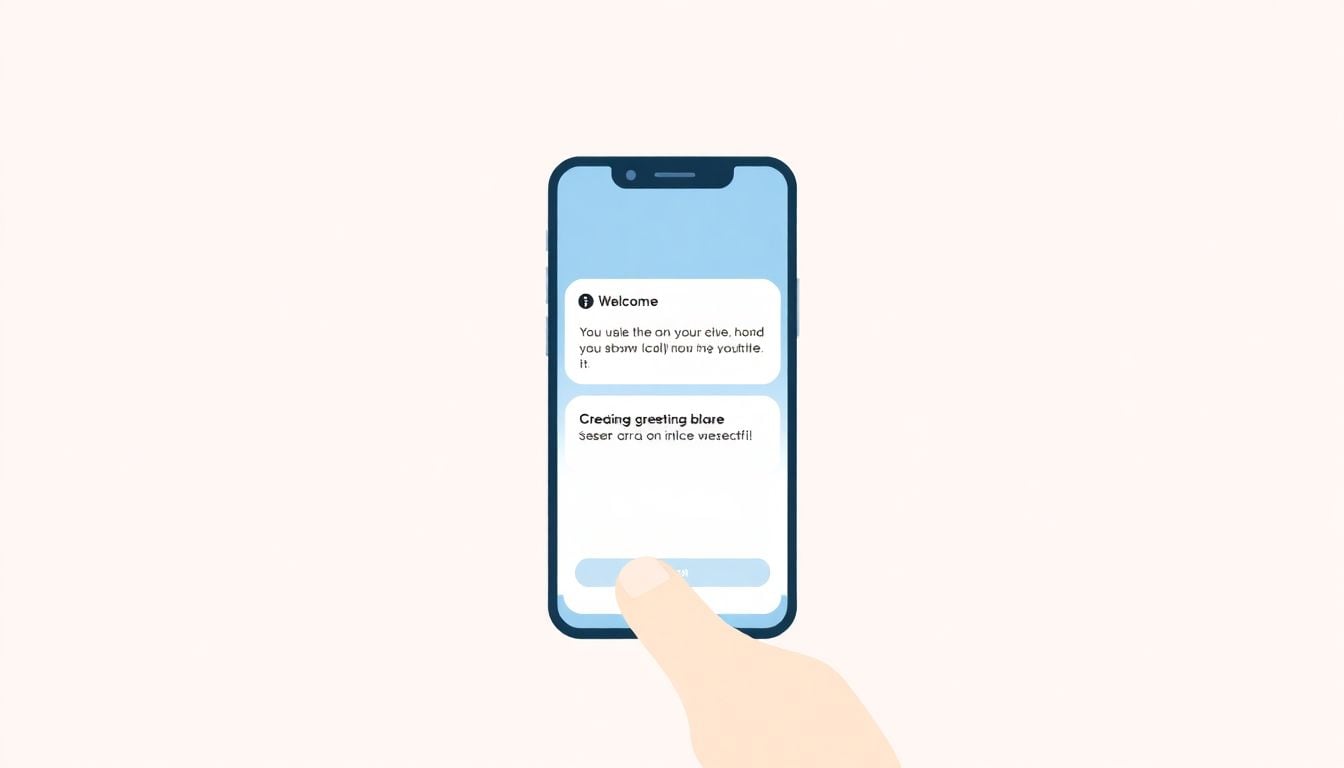
Onboarding microcopy might include: “Welcome! Let’s get you set up in a few easy steps.”
Call-to-action prompts often look like: “Download now” or “Sign up for free”—motivating users to take immediate action.
Confirmation messages can be straightforward: “Your account has been created successfully.”
Within app navigation, microcopy snippets include: “Back to home” or “Next step.”
Microcopy templates are versatile; here are some examples ChatGPT prompts for generating these snippets:
- Generate error message microcopy for a failed login attempt.
- Create friendly onboarding microcopy for a new user registration process.
- Write call-to-action microcopy for a newsletter sign-up.
- Generate placeholder text for a search bar that encourages users to find products easily.
Using these templates speeds up the process and ensures your microcopy remains helpful, consistent, and aligned with your brand voice.

Effective Prompt Techniques for ChatGPT Microcopy Generation
Creating great microcopy with ChatGPT starts with knowing how to craft powerful prompts.
To get the most helpful and relevant snippets, your prompts need to be precise and detailed.
Here are some proven techniques to improve your prompt writing for microcopy tasks.
Be Specific About Your Microcopy Needs
Instead of asking, “Create microcopy for a website,” specify the type of message, audience, and tone.
For example: “Generate friendly onboarding microcopy for a fitness app that encourages new users to complete their profile.”
The more details you include, the better the generated microcopy aligns with your brand.
Request Multiple Variations
Ask ChatGPT for several options at once to find the best fit.
Prompt example: “Generate 3 variations of error message microcopy for failed password reset attempts that sound empathetic and professional.”
This helps you choose the most effective version or combine elements from different options.”
Specify the Tone and Style
Define the voice you want—whether friendly, professional, humorous, or reassuring—to match your brand.
For example: “Create a polite and concise microcopy for a checkout page that reassures customers their order is secure.”
Including tone descriptors ensures the copy feels natural and consistent.
Include Context and Use Case Details
Provide context about where and how the microcopy will be used.
Prompt example: “Generate call-to-action microcopy for a mobile app prompt asking users to enable notifications, sounding inviting and simple.”
Context helps ChatGPT produce messages that are appropriate and effective in real scenarios.
Leverage Step-by-Step Instructions
Break down complex microcopy needs into clear steps.
Example prompt: “Create microcopy snippets for a registration form, including labels, placeholders, and confirmation messages, all friendly and clear.”
Structured prompts encourage comprehensive and aligned outputs.
Incorporate Examples or Templates in Prompts
Show ChatGPT examples of your preferred style or format.
Prompt: “Write microcopy similar to ‘Your email will help us keep you updated’ for the newsletter signup, in a warm and encouraging tone.”
Examples guide the AI to produce more consistent results.
Combine Prompts for Complex Microcopy
For multifaceted microcopy projects, combine prompts.
Example: “Generate error messages, button labels, and onboarding welcome text for an e-commerce app, all friendly and concise.”
This saves time and keeps messaging cohesive across your user journey.
Experiment and Refine Your Prompts
Don’t hesitate to tweak your prompts based on the outputs you receive.
If a response isn’t quite right, adjust the details or tone description.
Prompt example to improve clarity: “Make the previous microcopy more casual and humorous.”
Iteration helps you fine-tune the results for your exact needs.
Sample Prompts to Copy and Use Immediately
- Generate 3 concise, friendly error message microcopy for failed login attempts in a banking app.
- Create onboarding microcopy that warmly welcomes new users and guides them through account setup steps.
- Write call-to-action microcopy for a free trial sign-up, sounding motivating and reassuring.
- Produce placeholder text for a search bar on a travel booking site, encouraging users to find their perfect trip.
- Generate microcopy snippets for a product checkout page, including reassurance messages and button labels.
- Create microcopy for an app notification asking users to turn on location services, sounding friendly and persuasive.
- Develop microcopy for a user profile page, including label text, tooltips, and success messages, all aligned with a professional tone.
- Write microcopy promoting a newsletter, with inviting language for the sign-up button and microcopy for confirmation messages.

How to Use Prompts to Generate High-Quality Microcopy with ChatGPT
Using the right prompts makes all the difference in getting useful microcopy from ChatGPT.
Start by being specific about what you want.
For example, ask ChatGPT: “Create 3 friendly error message microcopy for a failed login attempt on a banking app.”
This directs the AI to produce targeted responses that fit your needs.
Include details about tone, style, and use case in your prompts to guide the output.
Prompt example: “Write a reassuring, concise microcopy for a checkout page that confirms the order is secure.”
The more context you give, the better the microcopy will match your brand voice.
Request multiple options at once to pick the best fit.
For instance, say: “Generate 2 variations of error messages for invalid form submissions, sounding helpful and professional.”
This allows quick comparison and selection of the most effective microcopy.
Leverage step-by-step instructions when needed.
Ask: “Create labels, placeholders, and success messages for a user registration form, friendly and clear.”
Using detailed prompts encourages comprehensive and consistent results.
Show examples within your prompts to steer the style.
Say: “Write microcopy similar to ‘Your email helps us keep you updated’ for newsletter signup, in a warm tone.”
This helps match your brand’s voice precisely.
Combine multiple microcopy needs into one prompt.
For example: “Generate error messages, button labels, and onboarding greetings for an e-commerce app, all friendly and concise.”
Experiment with prompt tweaks if the output isn’t perfect.
Prompt: “Make the previous microcopy more casual and humorous.”
Refining prompts over time helps you get closer to what you want.
Here are some ready-to-copy prompts you can try right now:
- Generate 3 friendly error message microcopy for a failed login attempt in a banking app.
- Create onboarding microcopy that welcomes new users and guides them through profile setup.
- Write call-to-action microcopy for a free trial sign-up, sounding motivating and reassuring.
- Produce placeholder text for a search bar on a travel booking site that invites users to find their perfect trip.
- Generate microcopy snippets for a checkout page, including reassurance messages and button labels.
- Create microcopy for an app notification asking users to turn on location services, friendly and persuasive.
- Develop microcopy for a user profile page, including labels, tooltips, and success messages, all professional and clear.
- Write microcopy promoting a newsletter, with inviting language for the sign-up button and confirmation messages.
FAQs
Microcopy AI templates are pre-designed text snippets powered by artificial intelligence, designed to enhance user experience in digital products. They help create succinct, engaging content for buttons, notifications, and other interface elements.
These templates streamline content creation, ensuring consistency and a professional tone. They save time on writing, enhance user engagement, and can lead to improved conversion rates, ultimately benefiting your business’s bottom line.
Common examples include error messages, call-to-action buttons, onboarding instructions, or notification alerts. These templates help create clear communication that improves user interaction with your website or app.
To customize AI microcopy templates, adjust the language, tone, and style to align with your brand’s voice. Consider adding brand-specific terms and guidelines to maintain consistency across all user interactions.
Related Articles

Loyalty Program Tiers: AI Ideas For Enhanced Customer Engagement
I know managing loyalty programs can feel overwhelming, especially when trying to keep customers happy and engaged. The good news is, AI ideas for tier systems can make this process much easier and more fun. If you keep reading, I’ll show you how AI can help design, personalize, and automate loyalty tiers, making your program … Read more

Referral Program Copy AI: Boosting Your Business With AI Solutions
Ever wonder how to get more people to join your referral programs without sounding pushy or salesy? You’re not alone. Many businesses struggle to craft the perfect message that encourages sharing yet feels genuine. Keep reading, and you’ll discover how AI can help you create compelling referral copy effortlessly. In just a few minutes, you’ll … Read more

Growth Loop Ideas With AI: Strategies for Business Success
Hey, I get it—growing a business online can feel like a never-ending challenge, especially when figuring out how to keep users coming back. But here’s the good news: AI has some clever tricks up its sleeve that can create what’s called “growth loops”—little engines that fuel your growth automatically. Stick around, and I’ll show you … Read more

Experiment Log AI Template: Benefits, Features, and Guide
Ever tried keeping track of your experiments but felt overwhelmed by messy notes and incomplete data? I get it—staying organized can be a hassle, especially when juggling multiple projects. But don’t worry—there’s a simple way to make logging experiments easier and more accurate. Keep reading, and I’ll show you how using an AI-powered experiment log … Read more

A/B Test Hypothesis AI Templates: Enhance Your Testing Process
If you’re running A/B tests, you know coming up with good hypotheses can be tricky. Sometimes it feels like guessing, and that can slow things down. But what if there was a way to make your hypotheses smarter and easier to create? Keep reading, and I’ll show you how AI templates can help you craft … Read more

Innovation Backlog AI Template: Boosting Your Innovation Process
Ever felt overwhelmed trying to keep track of all your innovation ideas? It’s easy to get lost in the chaos of managing backlog items, especially when everyone’s busy. Keep reading, and I’ll show you how an AI-powered template can make sorting and organizing those ideas a lot simpler. In just a few steps, you’ll be … Read more

Ideation Sprint Agenda AI: Plan, Execute, and Succeed Efficiently
I know many of us find brainstorming sessions a bit chaotic or just not as productive as we’d like. The good news is, using AI in your ideation sprint can help smooth out those rough edges and spark fresh ideas. Stick with me, and I’ll show you how AI tools can make your next session … Read more

Brainstorming Facilitation AI Prompts: Enhance Your Creativity
If you’ve ever felt stuck trying to run creative brainstorming sessions, you’re not alone. It can sometimes be tough to keep ideas flowing or find fresh angles on a problem. But don’t worry—there’s a way to make your sessions more effective and fun. Keep reading, and I’ll show you how AI prompts can be your … Read more

Design Thinking Workshop With AI: Tips, Tools, And Best Practices
Hey there! If the idea of running a design thinking workshop with AI sounds a bit overwhelming, you’re not alone. It’s common to wonder how AI can fit into such a creative process and whether it’ll help or just complicate things. Stick with me, though, and I’ll show you how AI tools—like ChatGPT—can boost your … Read more

Service Blueprint AI Template: Enhance Business Efficiency Today
Getting your service processes straight can feel like a puzzle, especially when trying to keep everyone on the same page. That’s where a Service Blueprint AI Template comes in handy—think of it as a clear map for your customer experience. Keep reading and you might find an easy way to plan, improve, and customize your … Read more

Customer Journey Map AI Template: Enhance Insights and Experience
Ever felt frustrated trying to map out your customers’ journey without the right tools? You’re not alone. Luckily, there’s now an AI-powered customer journey map template that promises to make this process easier and smarter. Keep reading, and I’ll show you how these templates work, their benefits, and how you can start using them to … Read more

Value Chain Analysis AI Guide: Improve Efficiency and Insights
Ever wonder if there’s a smarter way to analyze your company’s value chain without drowning in boring spreadsheets? You’re not alone—many feel stuck with slow, manual methods that just don’t cut it anymore. Stick with me, and I’ll show you how AI can make this process easier, faster, and way more insightful. Keep reading, and … Read more
Last updated: October 11, 2025