Complete AI Prompt Pack
1000+ prompts • $37
If you’ve ever felt stuck trying to organize your creative projects, you’re not alone. Crafting a clear, effective plan can be a challenge, especially when juggling multiple ideas or teams. But don’t worry—you’re about to discover how a simple AI-powered template designed for creating briefs can make everything easier, faster, and way more fun. Keep reading, and you might find your new favorite tool for getting projects off the ground smoothly.
Key Takeaways
- A creative brief AI template helps organize projects efficiently by generating structured outlines.
- By inputting basic project details, the AI creates a tailored brief to guide creative work.
- These templates clarify goals and roles, reduce misunderstandings, and speed up the drafting process.
- Key elements include goals, target audience, key messages, deadlines, and budget details.
- To use effectively, input clear, specific information and customize the generated brief as needed.
- Using targeted prompts in AI tools can enhance the detail and relevance of creative briefs.

What is a Creative Brief AI Template?
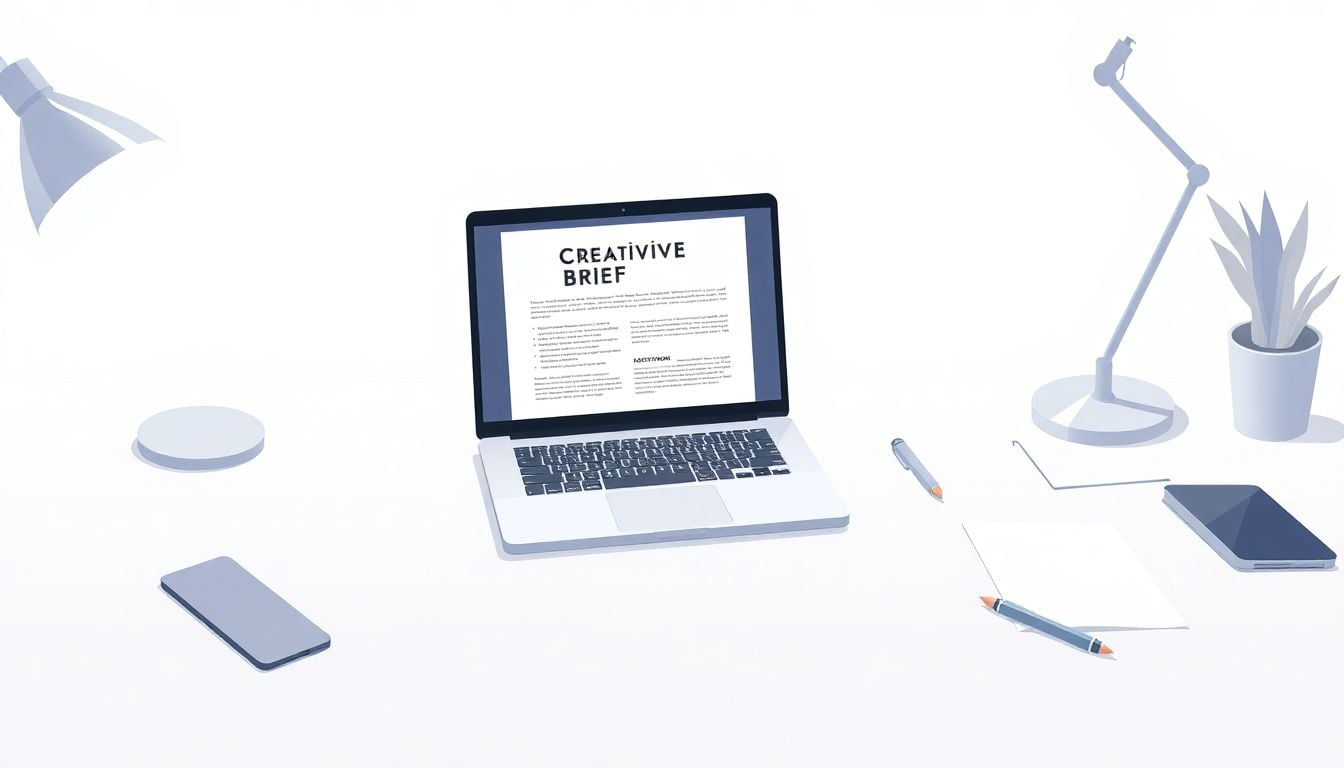
A creative brief AI template is a tool powered by artificial intelligence that helps teams quickly generate a structured outline for their projects. Instead of starting from scratch, you feed in some basic details, and the AI produces a tailored brief that covers essential elements needed to guide creative work. Think of it as having a knowledgeable assistant that organizes your project info into a clear plan. These templates utilize AI to save time, reduce errors, and ensure consistency across your projects. By understanding how an AI-driven creative brief works, you realize it’s more than just a fill-in-the-blank form; it adapts to your needs and provides actionable insights to kick-start your work. This makes planning smoother and helps align your team around common goals with minimal hassle.
How a Creative Brief AI Template Can Help Your Projects
Using an AI-designed creative brief can make your projects feel less chaotic and more organized. These templates help you clarify your goals early on, so everyone knows what’s expected, reducing misunderstandings later. They also speed up the process of drafting your initial plan—no more spending hours on repetitive writing or forgettable details. Instead, you get a coherent outline ready to share with your team, saving time and boosting productivity. Plus, AI templates can suggest ideas or identify missing information, helping you think outside the box while staying focused. When you incorporate one into your workflow, you’ll notice a more streamlined process, better collaboration, and ultimately, more successful outcomes. That’s because AI ensures your creative projects start with a strong, well-organized foundation.
Key Elements of a Creative Brief AI Template
Every good creative brief, whether AI-generated or not, has core parts that keep everyone on the same page. These include the project’s main goals, target audience details, key messages, and deadlines. An AI template naturally organizes these sections to ensure nothing gets overlooked. It often prompts you to define your brand identity, competitors, and deliverables clearly. It can also include space for budget info, project scope, and approval processes. The power of an AI template is that it adapts its structure based on your industry or project type, whether it’s marketing, design, or digital content. By covering these essential elements, it helps you craft a comprehensive plan that guides your team from start to finish, all while minimizing ambiguity and confusion.
Steps to Use a Creative Brief AI Template Effectively
To get the most out of an AI creative brief template, start with clear inputs—be specific about your project, target audience, and goals. Next, feed this info into the AI tool; most offer prompts or fields to fill in. Review the generated brief carefully, editing sections where needed to add your unique insights or company style. Don’t just accept it as-is—customize the template to match your project’s nuances. Use the AI’s suggestions as a starting point to spark ideas or fill gaps you might have missed. Finally, share the finished brief with your team early in the process to keep everyone aligned. Repeating these steps for each project ensures you’ll produce clear, consistent briefs that save time and promote better collaboration.

Effective Prompts for ChatGPT to Create Your Creative Brief
Using specific prompts can make your AI-generated creative briefs more tailored and useful. Here are some in-depth prompts you can copy and paste directly into ChatGPT to get detailed outputs:
- Generate a comprehensive creative brief outline for a [industry] campaign targeting [demographic]. Include sections on goals, target audience, key messages, budget, deadlines, and deliverables.
- Create a detailed creative brief for a [product/service] aimed at [specific demographic]. Emphasize branding tone, unique selling points, and preferred channels.
- Write a concise creative brief for a social media marketing campaign promoting [event or product]. Include objectives, target platform, content ideas, and success metrics.
- Draft a marketing creative brief for a [B2B or B2C] project focusing on [specific goal]. Cover branding guidelines, competitive analysis, and key performance indicators.
- Provide a step-by-step template for a creative brief for web design projects. Include sections on user experience, visual style, functionality requirements, and audience engagement.
- List in-depth prompts to help ChatGPT generate multiple creative ideas for [type of campaign or content]. Focus on innovative angles, emotional appeal, and visual concepts.
- Create a prompt that asks ChatGPT to analyze a given brief and suggest potential gaps or ambiguities to clarify with the team.
- Ask ChatGPT to generate a detailed project scope statement for a [specific project], including deliverables, restrictions, roles, and milestones.
- Craft a prompt to develop a motivational or branding tagline based on the core values of [company or product]. Focus on clarity, memorability, and relevance.
These prompts can be customized further, but they serve as solid starting points for making your AI-generated creative briefs detailed, industry-specific, and action-driven.

How to Create Effective Prompts for ChatGPT to Generate Your Creative Brief
Crafting strong prompts is key to getting useful, detailed outputs from ChatGPT. Start by being as specific as possible about your project requirements—clear instructions lead to better results. Use imperative language to direct the AI, telling it exactly what you want it to do, like “Generate a creative brief outline for a marketing campaign targeting young adults.”
Break down your prompts into clear segments—include details such as industry, target audience, goals, and preferred tone—so ChatGPT can tailor the output accordingly. For instance, ask, “Create a brief for a B2B tech product aimed at decision-makers, emphasizing technical features and ROI.”
Include examples in your prompts if you want particular style or structure, such as “Write a concise brief with sections on objectives, target audience, messaging, budget, and deadlines.” This helps the AI adopt the format you’re aiming for.
Use prompts that request multiple ideas or options, like “List five innovative campaign ideas for a new clothing brand,” to get diverse suggestions you can choose from. This boosts creativity and broadens your options.
Don’t forget to ask ChatGPT to analyze or review your drafts; prompt it with, “Review this creative brief and suggest missing information or potential improvements,” to enhance clarity and completeness.
Here are some ready-to-copy prompts to use directly:
- Generate a detailed creative brief for a [industry] campaign targeting [demographic]. Include sections on objectives, target audience, key messages, budget, and deadlines.
- Create a brief for a [product/service] aimed at [specific demographic]. Focus on branding tone, unique selling points, and preferred channels.
- Write a short creative brief for a social media campaign promoting [event or product]. Cover goals, main platforms, content ideas, and success metrics.
- Draft a creative brief for a [B2B or B2C] project focused on [specific goal]. Include branding guidelines, competitors, and KPIs.
- List five prompts to generate multiple creative ideas for [type of campaign or content]. Prioritize emotional appeal, innovative angles, and visual concepts.
- Create a prompt asking ChatGPT to review a draft brief and identify gaps or ambiguities to clarify with the team.
- Ask ChatGPT to produce a detailed project scope for [specific project], including deliverables, roles, restrictions, and milestones.
- Develop a prompt to generate a catchy branding tagline based on the core values of [company or product]. Keep it simple, memorable, and on-point.
Using these prompts repeatedly will help you generate more accurate, relevant, and actionable creative briefs—saving you time and sparking ideas.
FAQs
A well-designed Creative Brief AI Template typically includes sections on project objectives, target audience, messaging, deliverables, timelines, and metrics for success. These components guide the creative team in understanding and executing the project effectively.
You can customize your Creative Brief AI Template by adding specific project details, adjusting the language to fit your brand voice, and incorporating industry-specific jargon. Additionally, prioritize elements that resonate most with your team’s creative process.
Several tools and platforms offer Creative Brief AI Templates, including project management software like Asana and Trello, design tools like Canva, and dedicated creative brief generators. Explore these options to find one that suits your workflow and team needs.
AI-generated Creative Brief Templates save time, enhance consistency, and provide data-driven insights to improve project outcomes. They streamline the briefing process, allowing teams to focus on creativity while ensuring all essential information is captured efficiently.
Related Articles

Loyalty Program Tiers: AI Ideas For Enhanced Customer Engagement
I know managing loyalty programs can feel overwhelming, especially when trying to keep customers happy and engaged. The good news is, AI ideas for tier systems can make this process much easier and more fun. If you keep reading, I’ll show you how AI can help design, personalize, and automate loyalty tiers, making your program … Read more

Referral Program Copy AI: Boosting Your Business With AI Solutions
Ever wonder how to get more people to join your referral programs without sounding pushy or salesy? You’re not alone. Many businesses struggle to craft the perfect message that encourages sharing yet feels genuine. Keep reading, and you’ll discover how AI can help you create compelling referral copy effortlessly. In just a few minutes, you’ll … Read more

Growth Loop Ideas With AI: Strategies for Business Success
Hey, I get it—growing a business online can feel like a never-ending challenge, especially when figuring out how to keep users coming back. But here’s the good news: AI has some clever tricks up its sleeve that can create what’s called “growth loops”—little engines that fuel your growth automatically. Stick around, and I’ll show you … Read more

Experiment Log AI Template: Benefits, Features, and Guide
Ever tried keeping track of your experiments but felt overwhelmed by messy notes and incomplete data? I get it—staying organized can be a hassle, especially when juggling multiple projects. But don’t worry—there’s a simple way to make logging experiments easier and more accurate. Keep reading, and I’ll show you how using an AI-powered experiment log … Read more

A/B Test Hypothesis AI Templates: Enhance Your Testing Process
If you’re running A/B tests, you know coming up with good hypotheses can be tricky. Sometimes it feels like guessing, and that can slow things down. But what if there was a way to make your hypotheses smarter and easier to create? Keep reading, and I’ll show you how AI templates can help you craft … Read more

Innovation Backlog AI Template: Boosting Your Innovation Process
Ever felt overwhelmed trying to keep track of all your innovation ideas? It’s easy to get lost in the chaos of managing backlog items, especially when everyone’s busy. Keep reading, and I’ll show you how an AI-powered template can make sorting and organizing those ideas a lot simpler. In just a few steps, you’ll be … Read more

Ideation Sprint Agenda AI: Plan, Execute, and Succeed Efficiently
I know many of us find brainstorming sessions a bit chaotic or just not as productive as we’d like. The good news is, using AI in your ideation sprint can help smooth out those rough edges and spark fresh ideas. Stick with me, and I’ll show you how AI tools can make your next session … Read more

Brainstorming Facilitation AI Prompts: Enhance Your Creativity
If you’ve ever felt stuck trying to run creative brainstorming sessions, you’re not alone. It can sometimes be tough to keep ideas flowing or find fresh angles on a problem. But don’t worry—there’s a way to make your sessions more effective and fun. Keep reading, and I’ll show you how AI prompts can be your … Read more

Design Thinking Workshop With AI: Tips, Tools, And Best Practices
Hey there! If the idea of running a design thinking workshop with AI sounds a bit overwhelming, you’re not alone. It’s common to wonder how AI can fit into such a creative process and whether it’ll help or just complicate things. Stick with me, though, and I’ll show you how AI tools—like ChatGPT—can boost your … Read more

Service Blueprint AI Template: Enhance Business Efficiency Today
Getting your service processes straight can feel like a puzzle, especially when trying to keep everyone on the same page. That’s where a Service Blueprint AI Template comes in handy—think of it as a clear map for your customer experience. Keep reading and you might find an easy way to plan, improve, and customize your … Read more

Customer Journey Map AI Template: Enhance Insights and Experience
Ever felt frustrated trying to map out your customers’ journey without the right tools? You’re not alone. Luckily, there’s now an AI-powered customer journey map template that promises to make this process easier and smarter. Keep reading, and I’ll show you how these templates work, their benefits, and how you can start using them to … Read more

Value Chain Analysis AI Guide: Improve Efficiency and Insights
Ever wonder if there’s a smarter way to analyze your company’s value chain without drowning in boring spreadsheets? You’re not alone—many feel stuck with slow, manual methods that just don’t cut it anymore. Stick with me, and I’ll show you how AI can make this process easier, faster, and way more insightful. Keep reading, and … Read more
Last updated: October 7, 2025