Study Guides Prompt Pack
200+ prompts • $27
Are you curious about creating eye-catching AI images that look like scenes straight out of a movie? Many struggle with crafting prompts that produce the cinematic vibe they want. But don’t worry — if you keep reading, you’ll learn how to make prompts that turn your ideas into stunning visual stories.
In this guide, I’ll walk you through what cinematic AI image prompts are, how to create them, and the key elements involved. By the end, you’ll have tips and examples to help you generate your own high-quality, movie-like images with AI.
Key Takeaways
- Cinematic AI image prompts guide AI to create visually striking images that mimic movie scenes.
- Effective prompts include detailed descriptions of mood, lighting, colors, and camera angles.
- Use specific imagery instead of vague terms to enhance the AI’s understanding and output.
- Incorporate stylistic cues like “film noir” or “futuristic” for desired aesthetic effects.
- Utilize creative templates to generate vivid scene ideas for a variety of themes.
- Iteratively refine prompts to achieve the best cinematic results from AI tools.

What Are Cinematic AI Image Prompts?
Cinematic AI image prompts are specific instructions given to artificial intelligence models to generate images that look like scenes from movies or high-quality film visuals. They are crafted to evoke a certain mood, style, and storytelling vibe in the resulting picture, much like a director’s shot list for a scene. These prompts help AI understand exactly what kind of cinematic atmosphere you’re aiming for, whether it’s a moody noir alley or a bright sci-fi cityscape.
Think of cinematic prompts as a way to speak the language of film within an AI that creates images. Instead of just asking for a “landscape,” you’re describing a “sunset over a misty mountain with dramatic clouds and a lone wolf howling.” This level of detailed description guides the AI to produce visuals that feel like they belong in a movie frame.
They play a crucial role in visual storytelling, allowing creators to produce compelling, film-like images without needing advanced Photoshop skills or camera equipment. Instead, you focus on the art of descriptive prompts that inspire the AI to replicate the cinematic aesthetic you have in mind.
Some examples of cinematic AI prompts include phrases like “a gritty war scene at dusk with dynamic lighting,” or “a romantic vintage street shot with soft focus and warm color grading.” These prompts help set the scene, mood, and style, making the AI-generated images more visually striking and narrative-driven.
Using cinematic AI image prompts offers a powerful way for artists, marketers, and storytellers to craft vivid visuals that capture viewers’ attention and evoke emotion. They add a filmic touch to visual content that can make social media posts, marketing campaigns, or creative projects stand out in a crowded digital space.
How to Create Effective Cinematic AI Image Prompts
To craft cinematic prompts that actually work, start with clear, detailed descriptions. Think about the mood you want to evoke—melancholy, tension, wonder—and include specific visual elements that support that mood. For example, specify lighting: “harsh shadows and golden hour sunlight” or “soft diffused light with lens flare.”
Next, focus on composition details like camera angles, framing, and focal points. Instead of just saying “a city street,” try “a low-angle shot of a bustling city street with neon signs and rain reflections.” This gives the AI a richer image to work with.
Colors matter a lot too. Describe your color palette—”muted blues and grays,” or “vibrant reds and oranges.” The style of the image can be influenced by adding terms like “cinematic color grading” or “film noir style.”
Don’t forget to specify the characters or subjects in the scene if relevant. Instead of vague “a person,” say “a detective in a trench coat holding a smoky cigarette, with a city skyline at night behind him.”
Here are some step-by-step tips for creating cinematic prompts:
- Decide on the overall mood or theme of the scene.
- Describe the setting with specific details (location, time of day, weather).
- Add visual elements like lighting, color palette, and camera angles.
- Include subject descriptions if applicable (persons, animals, objects).
- Integrate stylistic terms like “drama,” “vintage,” “futuristic,” or “film noir.”
Sample prompt to copy and customize: “A tense standoff scene set in a foggy alley at night, with neon signs flickering, backlit shadows, and a lone figure in a leather jacket holding a gun, shot from a low angle with high contrast.”
Key Elements of Cinematic Image Prompts
Some components make cinematic prompts stand out. First, lighting is everything—describe how the scene is lit to create mood: “soft moonlight,” “harsh spotlights,” or “glowing fire embers.”
Color grading is another key element—using terms like “sepia tone” or “cool blue palette” helps set the visual tone of the scene.
Camera angles and perspectives also shape the cinematic feel. Mentioning “wide shot,” “close-up,” “Dutch angle,” or “overhead view” tells the AI how to frame the scene.
Details in the environment matter too—”abandoned warehouse,” “rain-soaked streets,” or “sunset over desert dunes” help to create context and evoke specific stories.
Subjects and characters should be described vividly—”a mysterious woman in a red coat,” or “a futuristic soldier with glowing armor”—to ensure they stand out and match the scene’s tone.
Finally, stylistic cues like “film grain effect,” “lens flare,” or “bokeh background” add to the cinematic authenticity and help in getting images that feel truly like movie scenes.

Creative Prompt Templates for ChatGPT to Generate Cinematic Ideas
If you’re looking to get inspired or generate detailed cinematic visuals with ChatGPT, using effective prompts is key. Here are some ready-to-copy prompt templates that craft rich descriptions or scene ideas. These prompts are designed to be comprehensive yet flexible enough for customization.
- Describe a cinematic scene set in [setting], emphasizing mood, lighting, and composition: “Imagine a cinematic shot in a [setting], with [lighting type], showing [main subject], framed with [camera angle], evoking feelings of [emotion].”
- Generate a detailed prompt for a dystopian cityscape at night: “Describe a cinematic image of a dystopian city at night, featuring [faded neon lights, towering skyscrapers, fog], with a focus on [camera perspective], conveying [mood].”
- Create a prompt for a character-driven scene with stylistic elements: “Describe a cinematic scene starring [character description], in a [location], with [lighting style], captured from [camera angle], highlighting [emotion or action].”
- Outline a suspenseful action scene with cinematic details: “Generate a prompt for a cinematic shot of [action], set in [location], using [lighting], with [camera movement], to convey [tension, excitement].”
- Describe a romantic scene in a vintage setting with cinematic touches: “Describe a cinematic image of [couple], in [vintage location], with [soft lighting, warm tones], shot from [angle], creating an intimate, nostalgic feel.”
- Generate a sci-fi scene with dramatic color grading: “Create a cinematic scene featuring [futuristic subjects], in a [sci-fi environment], with [vibrant colors, lens flare], from [camera perspective], evoking [mood].”
Sample ChatGPT Prompts for Cinematic Image Ideas
Use these prompts directly or modify them for your own creative projects. They are designed to produce detailed, style-specific descriptions you can use as a reference or feed directly into your AI image generator.
- Describe a film noir detective scene at night with rain-soaked streets, neon signs, and dramatic shadows.
- Generate a vibrant sunset over a deserted beach with silhouettes of palm trees and a lone surfer walking along the shore.
- Paint a picture of an ancient castle in mist, illuminated by torches, with medieval characters in action.
- Create a futuristic cityscape with flying cars, illuminated skyscrapers, and a bustling street scene, captured from a high angle.
- Describe a tense standoff on a deserted highway during a thunderstorm, with backlit figures and swirling rain.
- Imagine a peaceful countryside scene at dawn, with rolling hills, fog, and a vintage tractor in motion.
How to Prompt ChatGPT for Cinematic Inspiration
To get the most cinematic and vivid outputs from ChatGPT, always be specific and detailed in your prompts. Mention the setting, mood, color palette, camera perspective, lighting, characters, and style cues.
For example, instead of saying “Describe a scene,” say “Describe a cinematic scene in a foggy mountain village at sunrise, with warm golden hues and a lone traveler approaching a wooden cabin.” This level of detail helps ChatGPT produce richer, more accurate descriptions.
Use stylistic keywords like “film noir,” “futuristic,” “vintage,” or “gritty” to steer the tone and aesthetic of the scene generated. Incorporate sensory details—sound, smell, atmosphere—for even more immersive results.
Rephrase prompts iteratively: if the first output isn’t quite right, narrow or broaden your description or add new stylistic cues. Think of your prompts as recipes—you can tweak ingredients until it matches your vision.

Additional Tips for Crafting Cinematic Prompts That Work
When you want AI to generate really impressive cinematic images, clarity is your best friend. Be as specific as possible about the scene you imagine.
Start with a clear mood or emotion—feelings like tension, wonder, nostalgia, or chaos help steer the AI in the right direction.
Include concrete visual details: describe lighting (“dimly lit alley with flickering neon signs”), environment (“abandoned factory with broken windows”), or mood (“eerie silence filled with fog”).
Use precise camera angles and perspectives—words like “close-up,” “bird’s-eye view,” or “Dutch angle” tell the AI how to frame the scene.
Describe the color palette directly—say “muted earth tones” or “vibrant jewel hues”—to help set the scene’s tone.
If your prompt involves characters, give them distinctive costumes or posture details—”a lone cowboy with a battered hat” or “a mysterious woman with glowing eyes.”
To make prompts more impactful, add stylistic cues—such as “grainy film texture,” “lens flare,” or “soft focus”—which heighten the cinematic effect.
Here’s a simple step-by-step trick: start with a broad scene, then layer in your details one by one, refining as needed to match your vision.
Sample Prompts for Immediate Use
- Describe a gritty detective scene at night with rain-soaked streets, neon signs, and dramatic shadows. Render it with a high contrast, low-angle shot.
- Create an image of a peaceful mountain village at dawn, bathed in soft golden light, with fog rolling over the rooftops and a single traveler approaching a wooden cabin.
- Generate a sci-fi cityscape with flying cars and towering holographic billboards, illuminated by a cool blue and purple palette, seen from a bird’s-eye perspective.
- Paint a romantic vintage street scene with soft afternoon sunlight, a couple sharing an umbrella, parked cars, and cobblestone streets in warm sepia tones.
- Visualize a tense standoff on a deserted highway during a thunderstorm, with backlit figures, swirling rain, and jagged lightning in the background.
Extra ChatGPT Prompts for Cinematic Inspiration to Copy & Paste
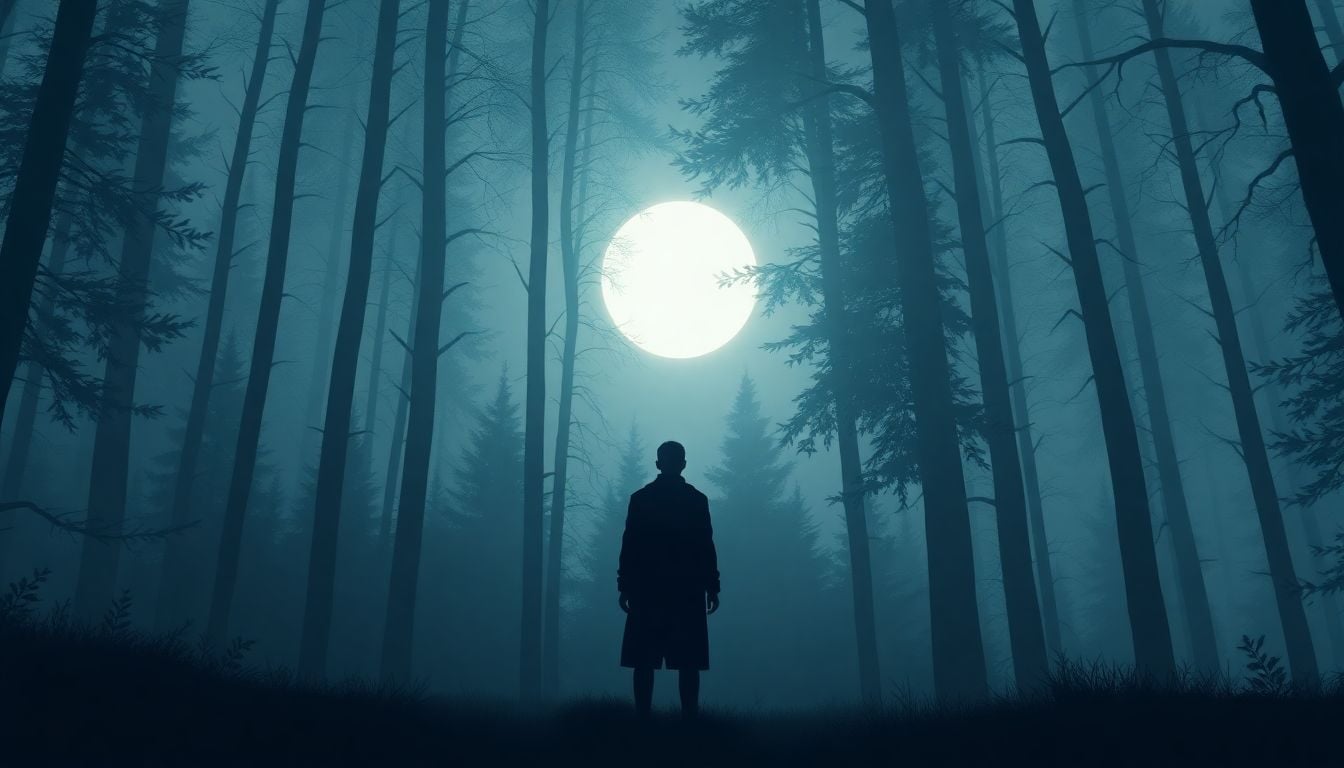
- Describe a mysterious character standing in a foggy forest at midnight, with moonlight filtering through the trees, capturing a sense of suspense and wonder.
- Generate a vibrant sunset over a tropical island, with silhouettes of palm trees and a lone boat drifting on calm water, shot from a wide-angle perspective.
- Paint a medieval fortress bathed in torchlight during an approaching storm, with characters in armor preparing for battle.
- Create a futuristic city with flying vehicles and holographic advertisements, viewed from the street level, illuminated with neon colors.
- Illustrate a tense escape scene from a dystopian prison, with prisoners running through pouring rain, lit by flickering overhead lights.
- Describe a peaceful countryside scene at dawn, with rolling hills, mist, and a vintage tractor plowing the fields.
How to Prompt ChatGPT for Cinematic Scene Ideas
Whenever you want creative scene concepts or detailed descriptions, be specific and detailed with your prompt. The more details you add, the richer the idea you get back.
Start with a clear setting—they can be as specific as “a snowy mountain peak at sunrise” or “a bustling Tokyo street at midnight.” Then, include the mood or tone—”mysterious and silent” or “exciting and chaotic”.
Describe the lighting—”harsh midday sun,” “glowing lanterns,” or “dim candlelight”—to influence the scene’s atmosphere.
Specify main subjects or characters—”an armored knight riding a dragon” or “a group of rebels hiding in a subway tunnel.” Also, mention stylistic cues like “film noir,” “cyberpunk,” or “vintage” to guide the aesthetic.
Add sensory elements—sound, smell, and atmosphere—to make the scene more immersive—”the smell of rain on hot asphalt,” or “the distant echo of footsteps.”
Use detailed prompts like: “Describe a cinematic shot of a samurai standing on a rain-drenched bridge at night, with lightning in the background and cherry blossoms falling around him.” This helps AI deliver a vivid scene.
Inspiring Prompts to Use Right Away in ChatGPT
- Describe a mysterious detective walking through rain-soaked streets at night, with flickering neon lights and heavy shadows.
- Create a sunset scene on a deserted beach, with silhouettes of palm trees and a lone surfer walking along the shoreline.
- Paint a medieval castle at dusk, illuminated by torches, with knights in armor preparing for a quest.
- Create a bright sci-fi city with flying cars, neon signs, and a crowded street scene, seen from above.
- Illustrate a tense moment during a thunderstorm on a deserted highway, with backlit figures and swirling rain.
- Describe a quiet countryside sunrise with rolling hills, fog, and a vintage tractor slowly moving through the field.
FAQs
Cinematic AI image prompts are detailed instructions or descriptions used to guide AI models in generating visually compelling images that evoke the storytelling elements of cinema, such as atmosphere, mood, and character dynamics.
Key elements of effective cinematic image prompts include a clear description, emotional tone, stylistic details, specific characters or scenes, and the use of visual metaphors to ignite the AI’s creative potential.
Common mistakes include being too vague or overly complicated, lacking emotional depth, neglecting visual composition, and failing to iterate on feedback to refine the prompts for better outcomes.
Tools to enhance cinematic AI prompts include image generation software, AI art platforms, and resources for understanding cinematic techniques, such as color grading and composition, which can support better prompt construction.
Related Articles

Loyalty Program Tiers: AI Ideas For Enhanced Customer Engagement
I know managing loyalty programs can feel overwhelming, especially when trying to keep customers happy and engaged. The good news is, AI ideas for tier systems can make this process much easier and more fun. If you keep reading, I’ll show you how AI can help design, personalize, and automate loyalty tiers, making your program … Read more

Referral Program Copy AI: Boosting Your Business With AI Solutions
Ever wonder how to get more people to join your referral programs without sounding pushy or salesy? You’re not alone. Many businesses struggle to craft the perfect message that encourages sharing yet feels genuine. Keep reading, and you’ll discover how AI can help you create compelling referral copy effortlessly. In just a few minutes, you’ll … Read more

Growth Loop Ideas With AI: Strategies for Business Success
Hey, I get it—growing a business online can feel like a never-ending challenge, especially when figuring out how to keep users coming back. But here’s the good news: AI has some clever tricks up its sleeve that can create what’s called “growth loops”—little engines that fuel your growth automatically. Stick around, and I’ll show you … Read more

Experiment Log AI Template: Benefits, Features, and Guide
Ever tried keeping track of your experiments but felt overwhelmed by messy notes and incomplete data? I get it—staying organized can be a hassle, especially when juggling multiple projects. But don’t worry—there’s a simple way to make logging experiments easier and more accurate. Keep reading, and I’ll show you how using an AI-powered experiment log … Read more

A/B Test Hypothesis AI Templates: Enhance Your Testing Process
If you’re running A/B tests, you know coming up with good hypotheses can be tricky. Sometimes it feels like guessing, and that can slow things down. But what if there was a way to make your hypotheses smarter and easier to create? Keep reading, and I’ll show you how AI templates can help you craft … Read more

Innovation Backlog AI Template: Boosting Your Innovation Process
Ever felt overwhelmed trying to keep track of all your innovation ideas? It’s easy to get lost in the chaos of managing backlog items, especially when everyone’s busy. Keep reading, and I’ll show you how an AI-powered template can make sorting and organizing those ideas a lot simpler. In just a few steps, you’ll be … Read more

Ideation Sprint Agenda AI: Plan, Execute, and Succeed Efficiently
I know many of us find brainstorming sessions a bit chaotic or just not as productive as we’d like. The good news is, using AI in your ideation sprint can help smooth out those rough edges and spark fresh ideas. Stick with me, and I’ll show you how AI tools can make your next session … Read more

Brainstorming Facilitation AI Prompts: Enhance Your Creativity
If you’ve ever felt stuck trying to run creative brainstorming sessions, you’re not alone. It can sometimes be tough to keep ideas flowing or find fresh angles on a problem. But don’t worry—there’s a way to make your sessions more effective and fun. Keep reading, and I’ll show you how AI prompts can be your … Read more

Design Thinking Workshop With AI: Tips, Tools, And Best Practices
Hey there! If the idea of running a design thinking workshop with AI sounds a bit overwhelming, you’re not alone. It’s common to wonder how AI can fit into such a creative process and whether it’ll help or just complicate things. Stick with me, though, and I’ll show you how AI tools—like ChatGPT—can boost your … Read more

Service Blueprint AI Template: Enhance Business Efficiency Today
Getting your service processes straight can feel like a puzzle, especially when trying to keep everyone on the same page. That’s where a Service Blueprint AI Template comes in handy—think of it as a clear map for your customer experience. Keep reading and you might find an easy way to plan, improve, and customize your … Read more

Customer Journey Map AI Template: Enhance Insights and Experience
Ever felt frustrated trying to map out your customers’ journey without the right tools? You’re not alone. Luckily, there’s now an AI-powered customer journey map template that promises to make this process easier and smarter. Keep reading, and I’ll show you how these templates work, their benefits, and how you can start using them to … Read more

Value Chain Analysis AI Guide: Improve Efficiency and Insights
Ever wonder if there’s a smarter way to analyze your company’s value chain without drowning in boring spreadsheets? You’re not alone—many feel stuck with slow, manual methods that just don’t cut it anymore. Stick with me, and I’ll show you how AI can make this process easier, faster, and way more insightful. Keep reading, and … Read more
Last updated: October 2, 2025